Administrators define how participant and administrator identities appear in the community and which pages and actions moderators and observers can access.
INDEX
How to access
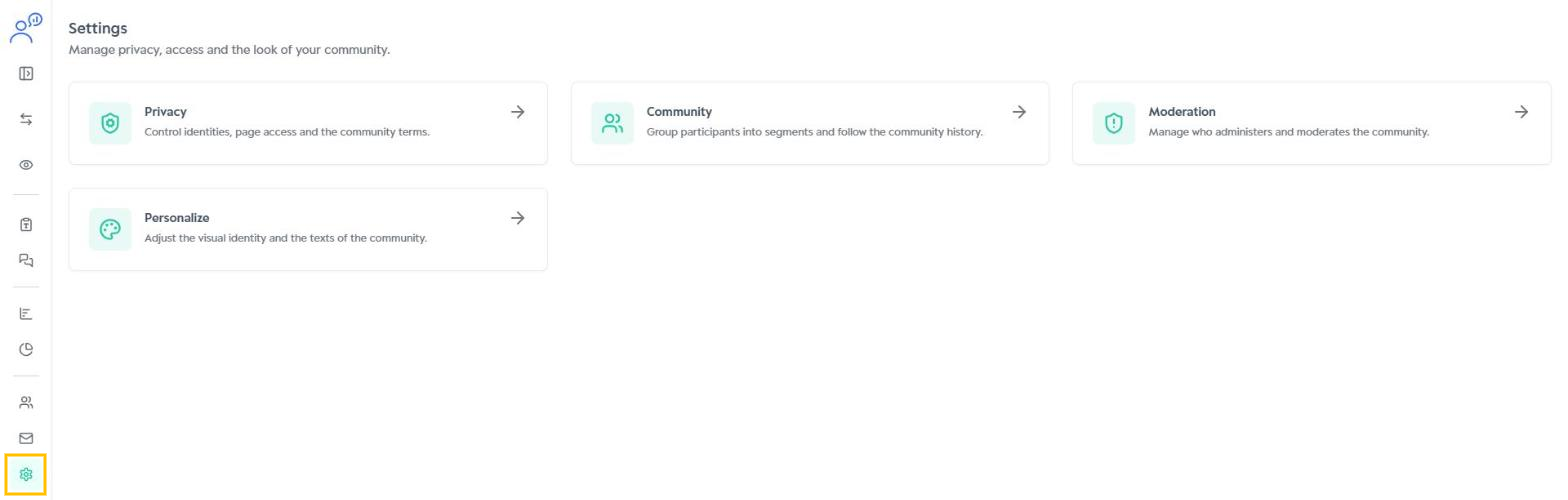
In the side menu, click Settings and then Privacy.
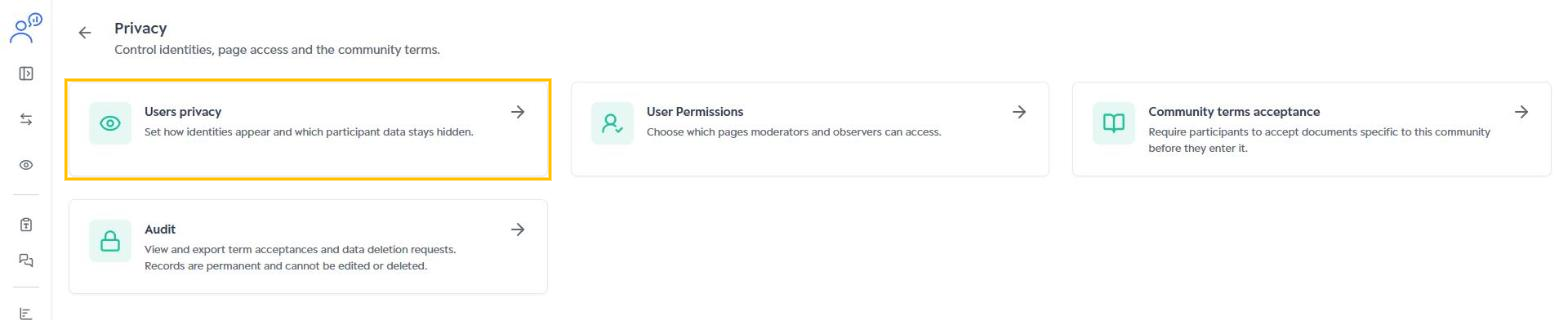
The Privacy page groups the Users privacy, User Permissions, Community terms acceptance and Audit cards. Community terms are explained in Community terms acceptance.
Users privacy
Click Users privacy.
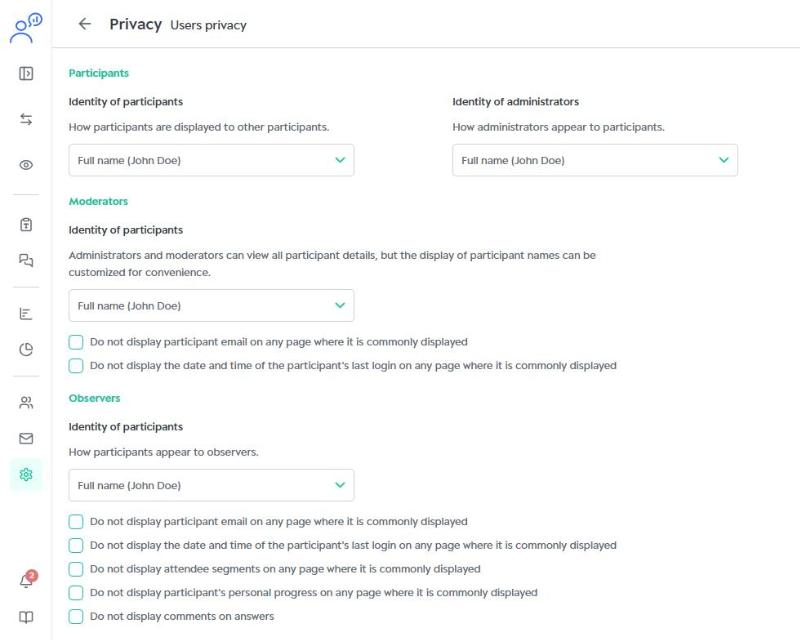
The page is split by user type:
- Participants: sets how participants appear to other participants and how administrators appear to participants.
- Moderators: administrators and moderators see all participant details, but you can customize how names are displayed. You can also hide the email and the date and time of the last login.
- Observers: sets how participants appear to observers. You can also hide the email, last login, segments, personal progress and comments on answers.
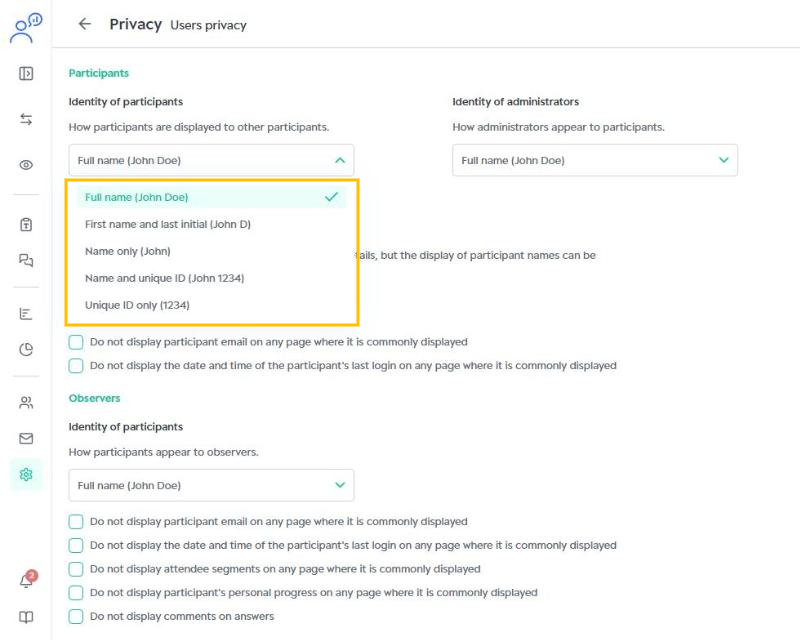
In each identity field, choose a format: full name, first name and last initial, first name only, name and unique ID, or unique ID only.
After adjusting the options, click Save in the top right corner.
User Permissions
On the Privacy page, click User Permissions.
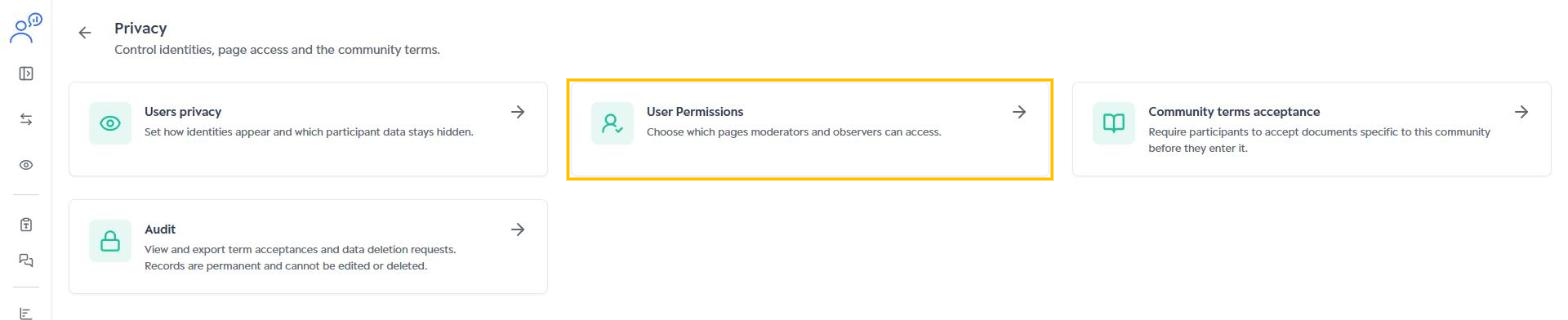
By default, observers and moderators can see all the pages listed. Check the options to restrict access:
- Observers: hide Activity Statistics, Responses, Media and Charts (Reports menu) and Participant Management.
- Moderators: hide the Customization, Terms and Policies and Create Assignments pages, and the Send email to incomplete participants and Notifications (in Manage participants) actions.
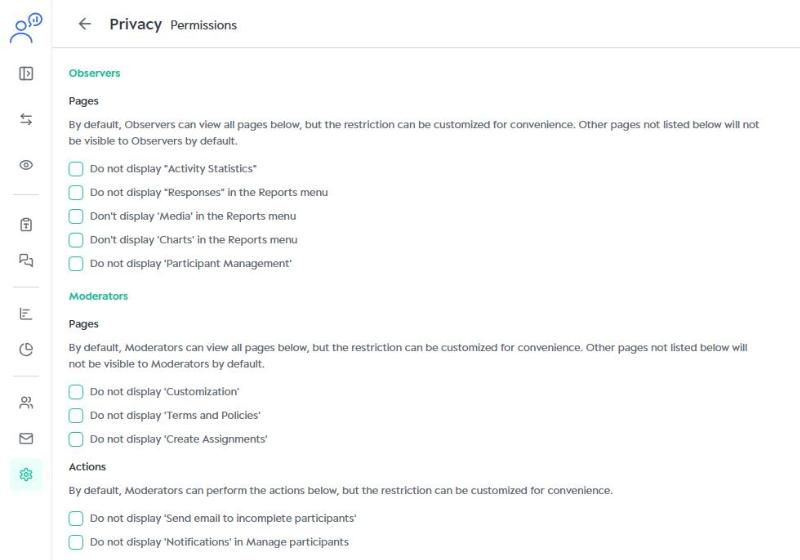
Click Save to apply the permissions.
Learn what each access type can do in Access types - Moderator and Access types - Observer.
Was this article helpful?
That’s Great!
Thank you for your feedback
Sorry! We couldn't be helpful
Thank you for your feedback
Feedback sent
We appreciate your effort and will try to fix the article