If you don’t remember your password, use the “Forgot password?” option to create a new one. All you need is the email address registered on Norstat Voices.
1. Go to the login page
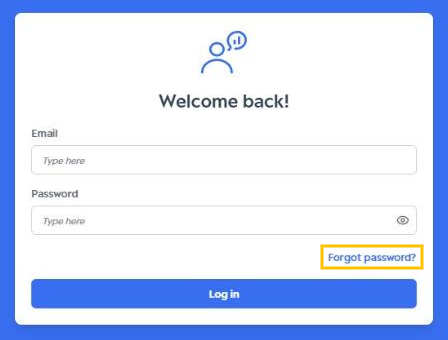
On the login screen, click “Forgot password?”, right below the password field.
2. Enter your email
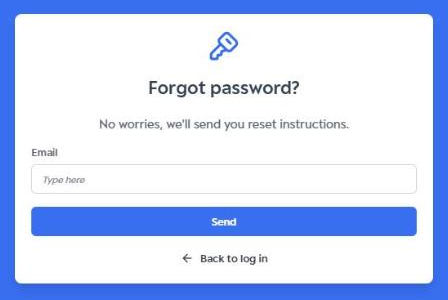
Type the email address registered on the platform and click “Send”. The email must be in the standard format, for example: name@email.com.
3. Check your inbox
The “Check your email” screen confirms that the reset link has been sent.
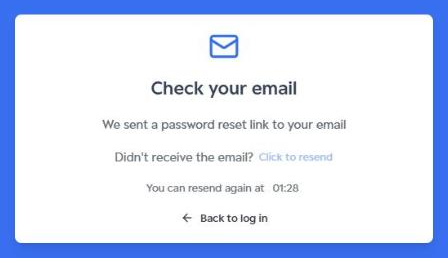
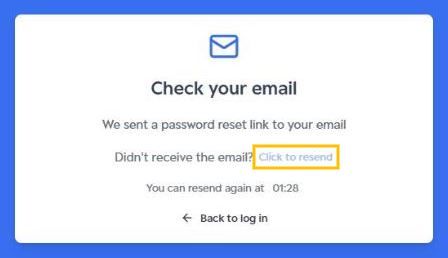
If the email doesn’t arrive, wait for the countdown to finish and click “Click to resend” to request a new one.
Tip: also check your Spam, Promotions and Junk folders.
4. Open the reset email
You will receive an email from Norstat Voices titled “Reset password”. Click the “Click here to reset your password” button.
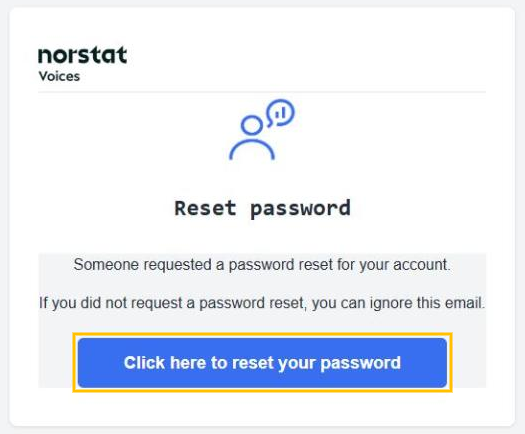
The reset link is valid for a limited time. If it expires, start again from step 1.
5. Set your new password
On the “Set new password” screen, type your new password in the “New password” and “Confirm password” fields and click “Reset password”. Your new password must be different from previously used passwords.
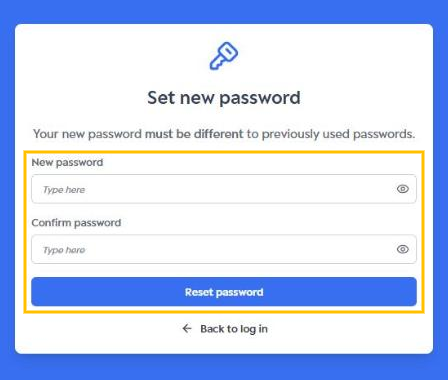
Done! You can now access Norstat Voices with your new password. Learn more in Login and Logout.
Was this article helpful?
That’s Great!
Thank you for your feedback
Sorry! We couldn't be helpful
Thank you for your feedback
Feedback sent
We appreciate your effort and will try to fix the article