To log in, you need a Norstat Voices account. If you don’t have one yet, see how to complete your first access as an operator or as a participant.
Contents
Login
Open your community link, enter your registered email and password, and click “Log in”.
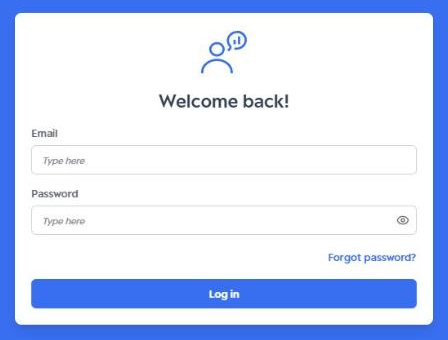
- Type your email and password exactly as registered, with no spaces before or after the text.
- The login page is the same for all access types (administrator, moderator, observer and participant), on desktop or mobile.
- Forgot your password? Click “Forgot password?” and follow the steps in Forgot my password.
Login page language
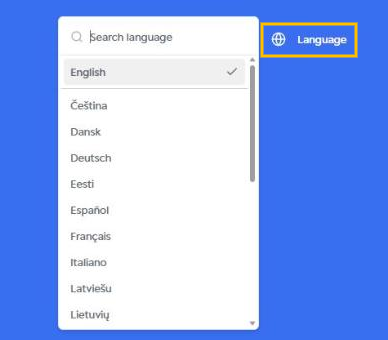
To change the page language, click “Language” in the top-right corner and choose a language from the list. You can also search for it by name.
Logout
To leave the platform, click your photo or initials in the bottom-left corner of the side menu and select “Logout”.
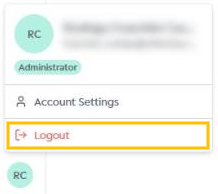
For security, always log out when using Norstat Voices on shared computers.
Was this article helpful?
That’s Great!
Thank you for your feedback
Sorry! We couldn't be helpful
Thank you for your feedback
Feedback sent
We appreciate your effort and will try to fix the article