Every study on Norstat Voices must have Administrators and Participants, and may also have Moderators and Observers. Learn more about access types.
The Administrator is the only user who can add other Operators (Administrators, Moderators and Observers) and Participants to the community. There is no limit on the number of users or access types, but we strongly recommend that every user who will perform an operating role on the platform goes through training with the Norstat Voices Support team.
CONTENTS
Add Operators
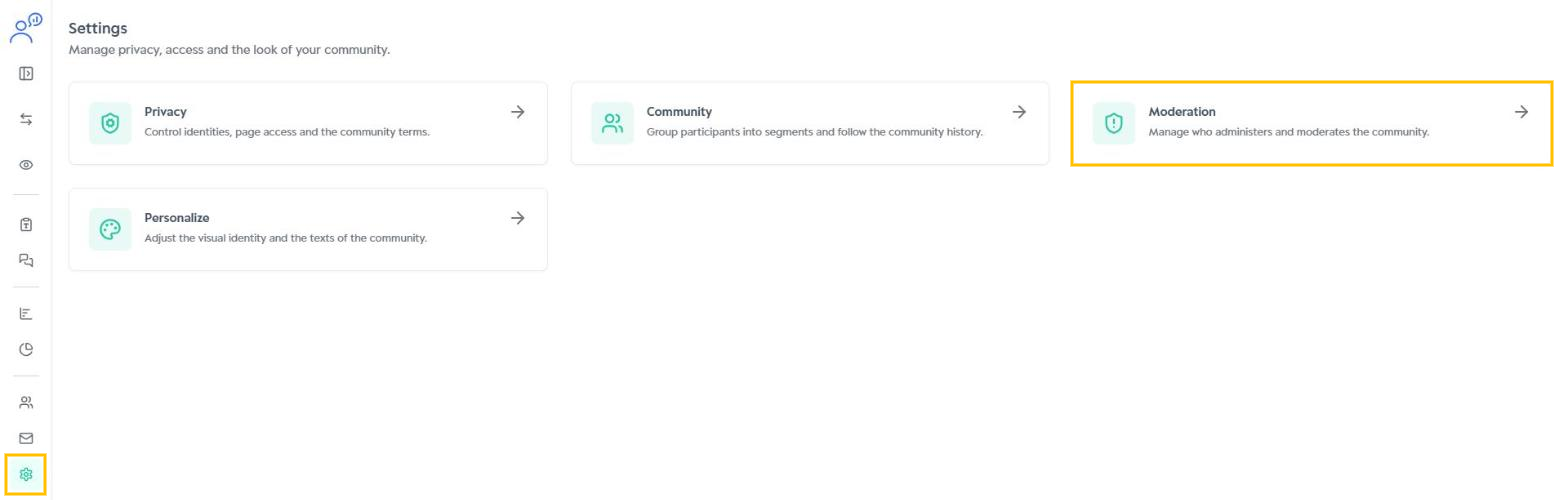
Inside the community, click the Settings icon (gear) in the side menu and select the Moderation card.
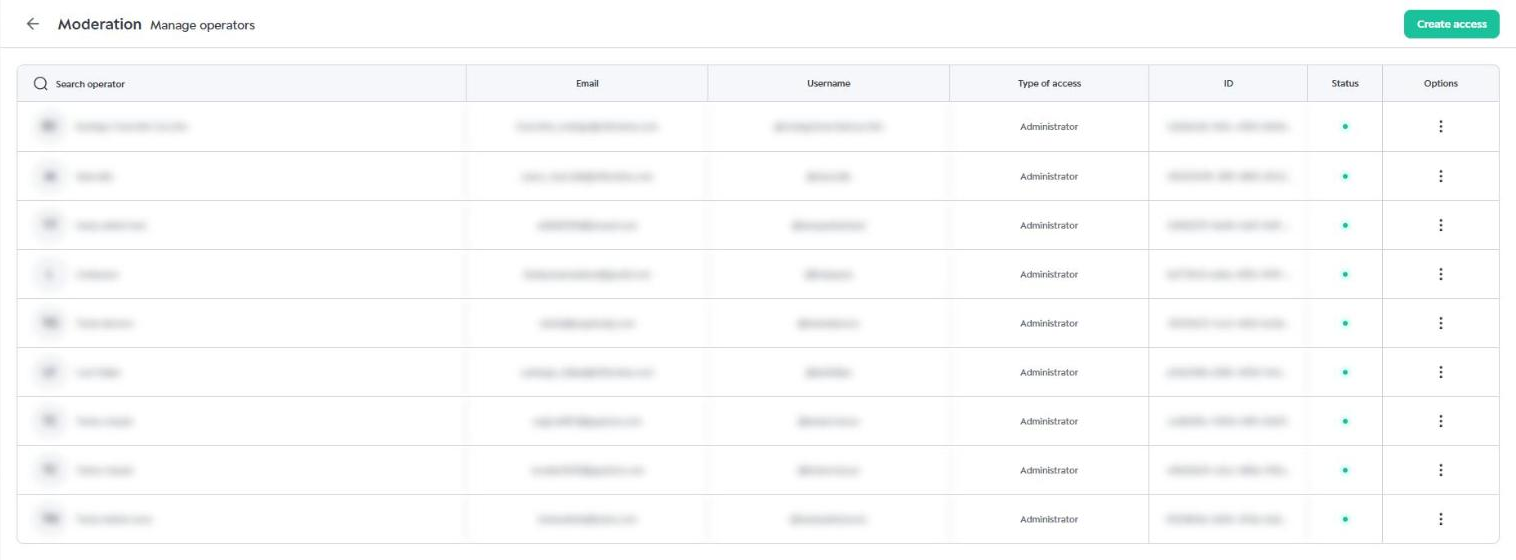
On the Manage operators screen, click the Create access button in the upper right corner.
Fill in the operator's Name and Email, select the access type (Administrator, Observer or Moderator) and choose the account Language. Check that the information is correct and click Create access.
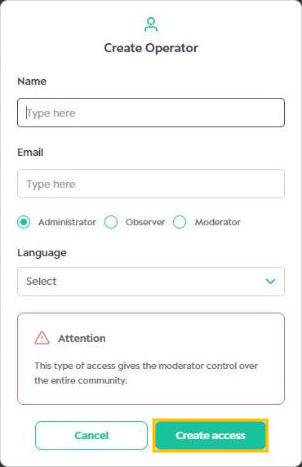
The platform will automatically send the user an invitation email with the first access instructions. Learn more about the Operators' first access.
Since the invitation is sent by email, it is very important that the address is valid and spelled correctly.
Manage Operators
On the Manage operators screen you can see all the community Operators, with their name, email, username, access type, ID and status. Use the Search operator field to find a specific user.
To make changes to your own Administrator account, go to the Account Settings menu.
To change an Operator's account, click the three-dot icon (⋮) in the Options column of the corresponding row. The following actions are available:
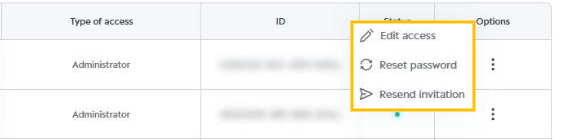
- Edit access: lets you change the operator's name, access type and language. The registered email cannot be changed.
- Reset password: the user will receive an email with a new password to log in to the platform.
- Resend invitation: the user will receive the invitation email again with the platform access details.
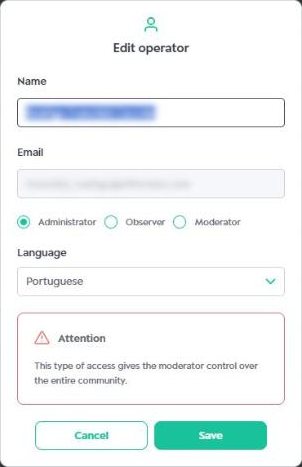
When you finish your changes, click Save to confirm or Cancel to discard them.
Was this article helpful?
That’s Great!
Thank you for your feedback
Sorry! We couldn't be helpful
Thank you for your feedback
Feedback sent
We appreciate your effort and will try to fix the article