To create a community, you need an Administrator access. If this is your first time on the platform, read First Access - Operators first.
INDEX
Communities hub
After logging in, you land on the Communities hub. It shows the communities recently created in your organization and the Getting started section, with short videos and help articles.
To begin, click Create community in the top right corner.

Community name
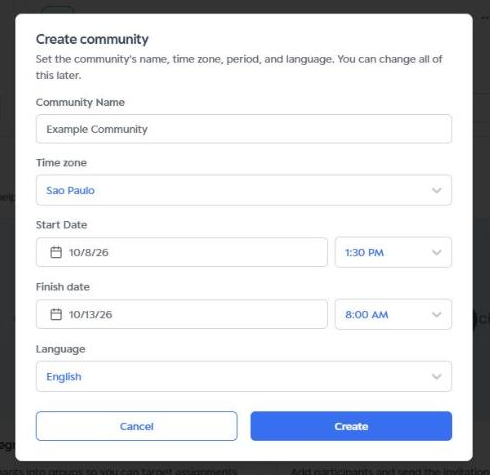
In the Create community window, type the Community name. Operators and participants will see this name on the platform.
Time zone
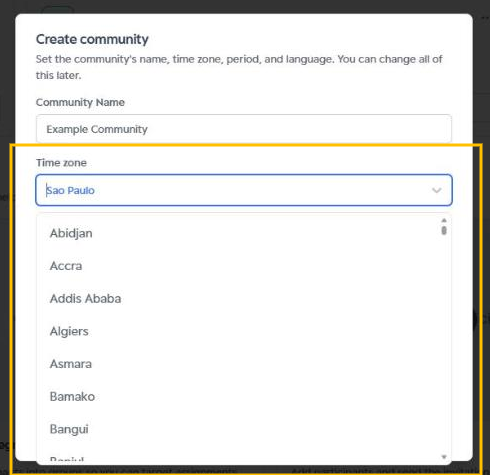
Select the community Time zone. It is the reference for the start and end dates. You can type a city name to find it faster in the list.
Dates and times
Set the community Start date and End date, each with its own time. Participants can only access the community within this period.
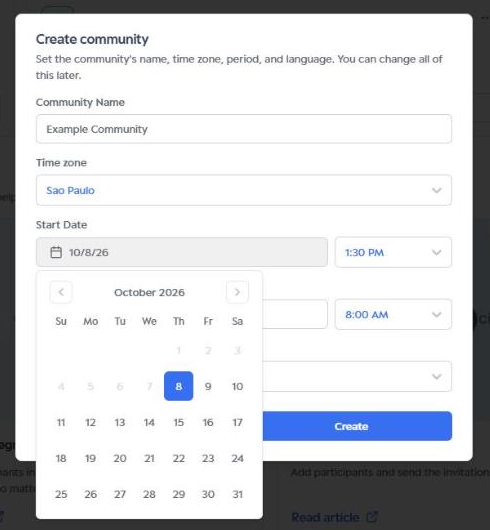
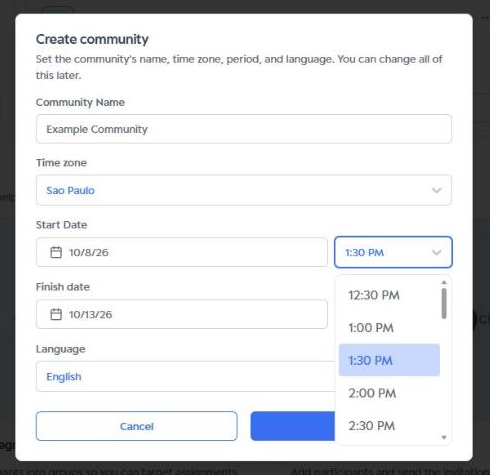
Next to each date, pick the time from the list.
Language
Choose the community Language.
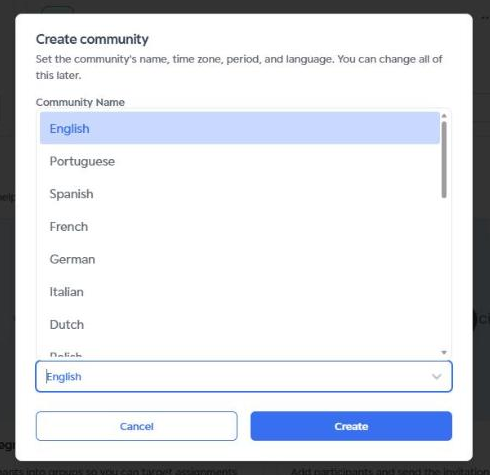
Finishing
Review the information and click Create. To give up, click Cancel.
You can change the community name, time zone, period and language later.
Next steps: create the community segments (Segmentation) and invite participants (Add participants).
Was this article helpful?
That’s Great!
Thank you for your feedback
Sorry! We couldn't be helpful
Thank you for your feedback
Feedback sent
We appreciate your effort and will try to fix the article