The Forum is the community area for discussions. The administrator creates the posts and participants interact through comments and reactions, complementing the community activities.
Only Administrators can create posts in the Forum.
INDEX
- Accessing the Forum
- Creating a post
- Post options
- Comments and reactions
- Editing or deleting a post
- Exporting the Forum
Accessing the Forum
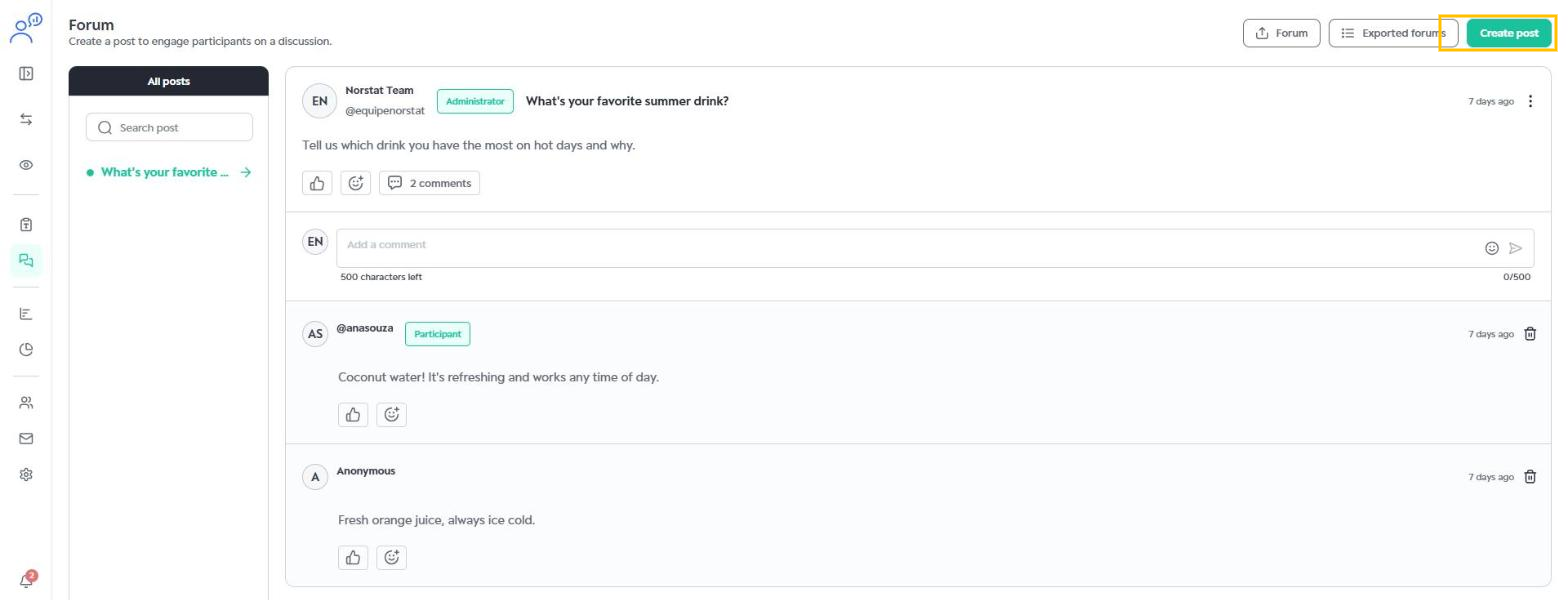
In the side menu, click Forum. On the left you find All posts, with a search field. When you select a post, you see its title, text, comments and reactions.
Creating a post
Click Create post in the top right corner and fill in:
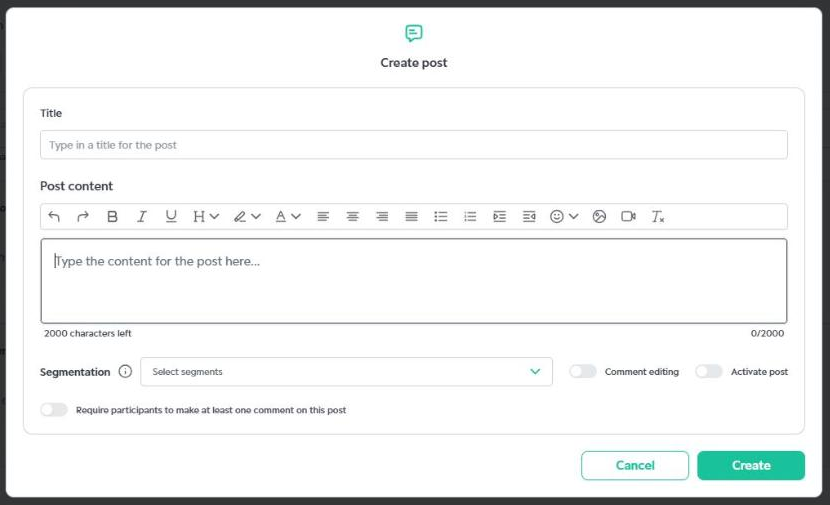
- Title: the post title.
- Post content: the text, up to 2,000 characters. The toolbar lets you format the text and add emojis, images and videos.
Post options
- Segmentation: choose the segments that can see the post.
- Comment editing: lets participants edit their own comments after sending them.
- Activate post: makes the post visible to participants.
- Require participants to make at least one comment on this post: makes commenting mandatory.
Click Create to publish or Cancel to give up.
Comments and reactions
Participants reply to posts in the Add a comment field (up to 500 characters) and can react to posts and comments with likes and emojis. Each post shows the number of comments, which helps you follow engagement. To remove a comment, use the trash icon next to it.
Editing or deleting a post
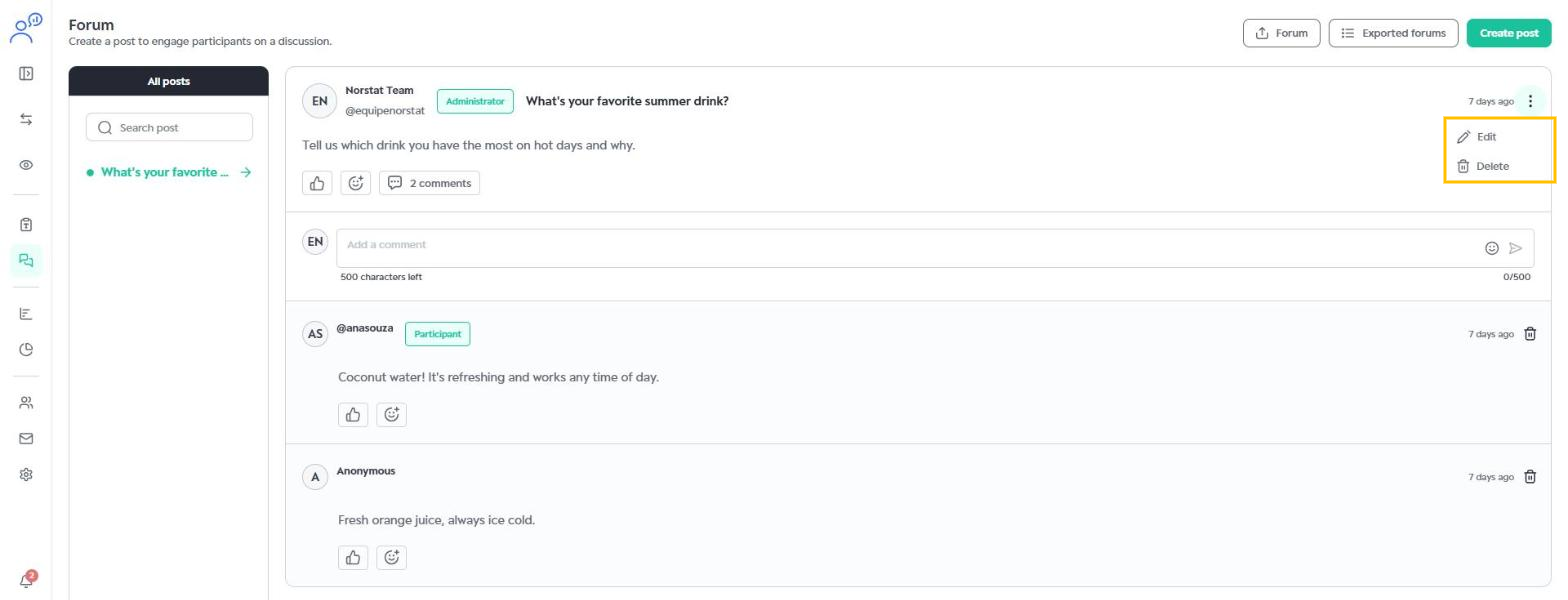
Click the three dots on the post and choose Edit or Delete.
Exporting the Forum
Use the Forum button at the top of the page to export the forum content. The generated files are available in Exported forums.
Was this article helpful?
That’s Great!
Thank you for your feedback
Sorry! We couldn't be helpful
Thank you for your feedback
Feedback sent
We appreciate your effort and will try to fix the article